Spring Valley College of Health Sciences, Business and Technology has partnered with Qualification Check to proceed the education verification. Please note that verification payments will need to be completed on your own. Please note that two different organizations are providing different purposes.
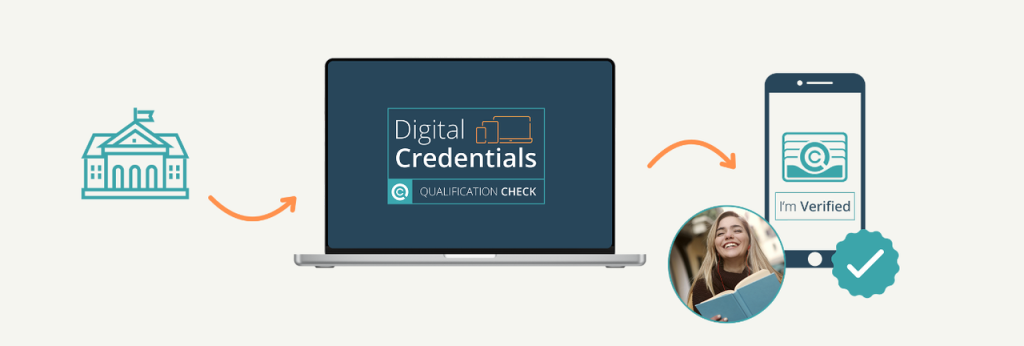
TO KNOW HOW TO VERIFY YOUR CERTIFICATE, PLEASE READ THE GUIDE BELOW
QUALIFICATION CHECK
Ensuring the authenticity of academic Certificates or Diplomas is crucial for both employers and educational institutions. With the increasing prevalence of fraudulent claims, a robust verification process is essential. If you have earned a Certificate or Diploma from Spring Valley College of Health Sciences, Business and Technology and need to verify it, Qualification Check offers a streamlined and reliable solution.
WHY QUALIFICATION CHECK?
They will help to confirm qualifications are genuine. Global Verification provides global primary source verification of academic and professional qualifications and licences to practise.
STEP-BY-STEP GUIDE TO VERIFICATION AT QUALIFICATION CHECK
Step 1: Sign Up and Register as An Individual
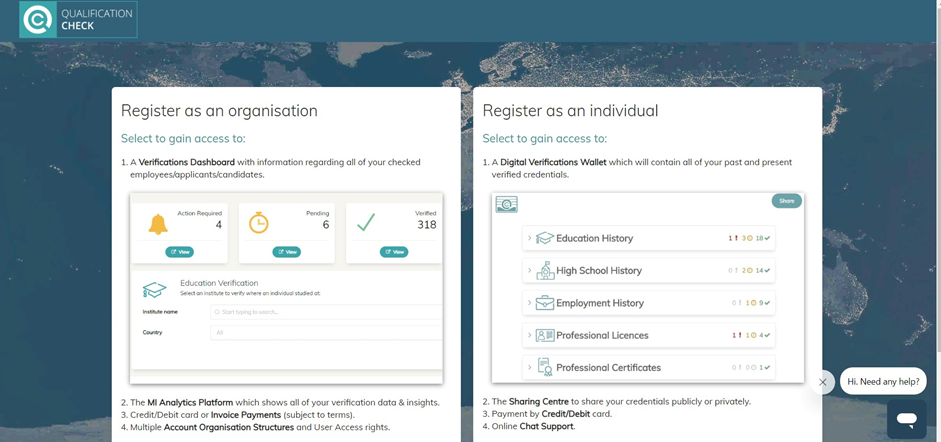
Click here to go to this website, and Select ‘Register as an individualʼ
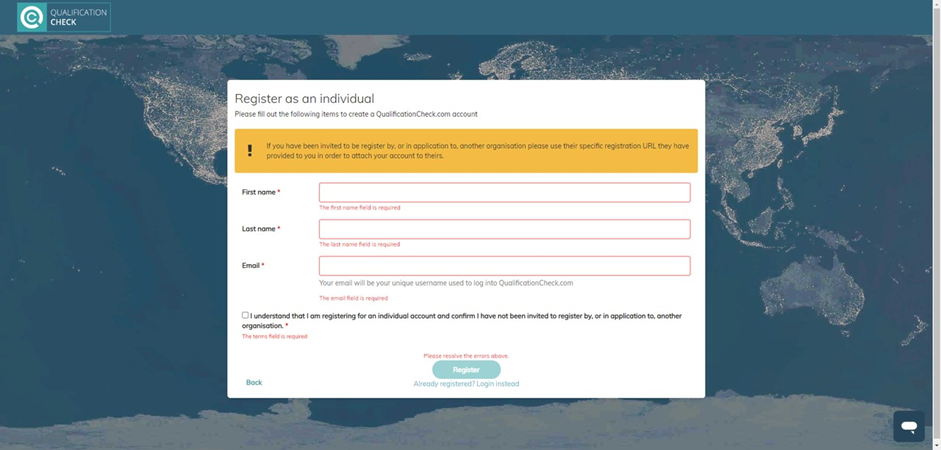
Provide your information, such as your name, and email address. Make sure your information is correct. Once your account is created, you will have access to the verification dashboard.
Step 2: Submit a Verification Request
After logging in, you can submit a new verification request. Hereʼs how:
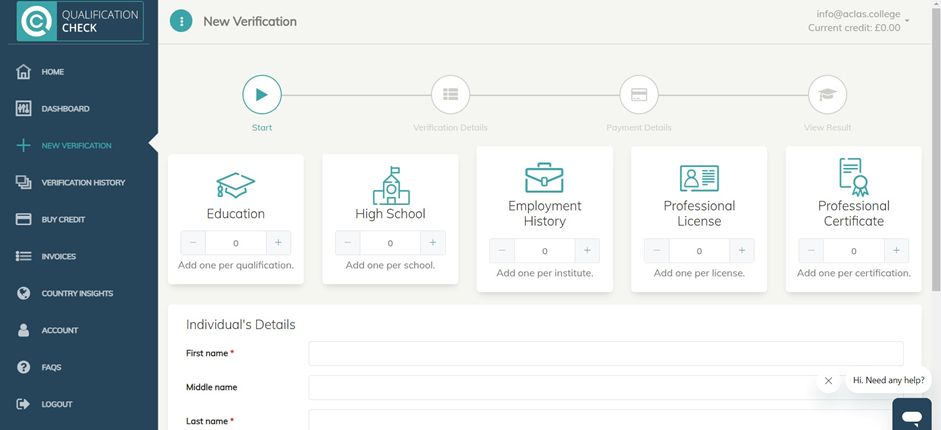
Click “New Verificationˮ > Select “Education +ˮ
Next, enter your information: Provide the necessary details such as your full name, date of birth, and click Nextʼ once you have done
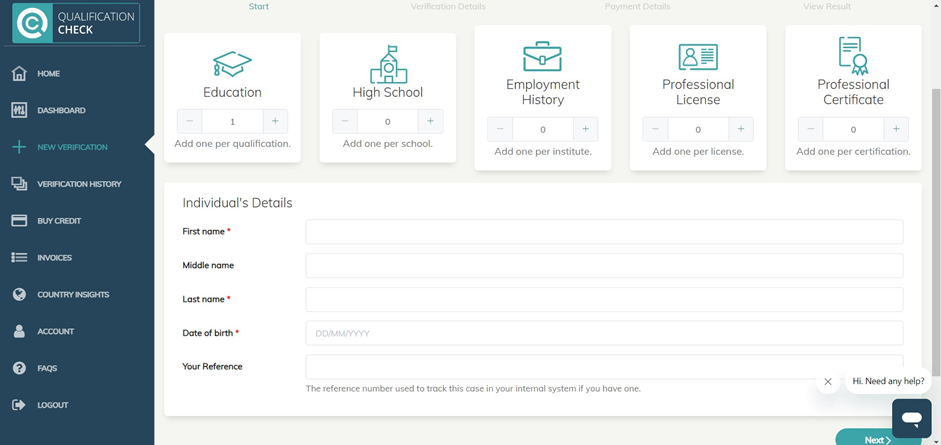
Fill in your individual’s details, make sure they are correct
Step 3: Enter Verification Details
Enter the Institute name ‘Spring Valley College of Health Sciences, Business and Technology ʼ
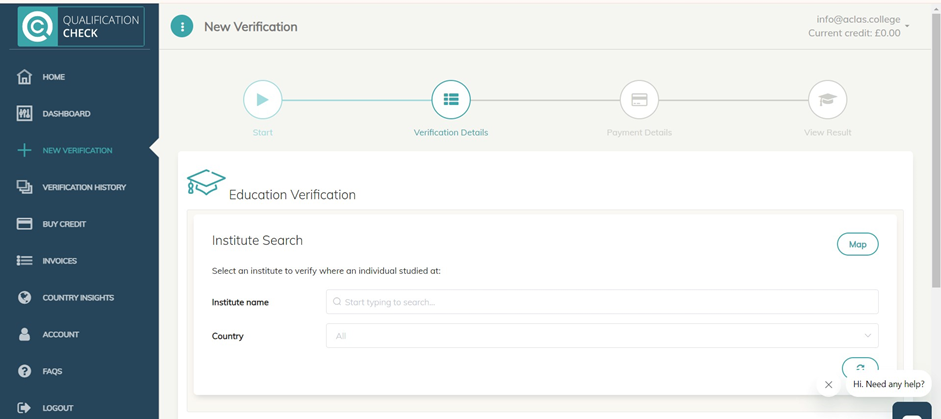
Once you have selected, you will see the ‘Institute Detailsʼ with the name of institute, country, price, and details for required documents
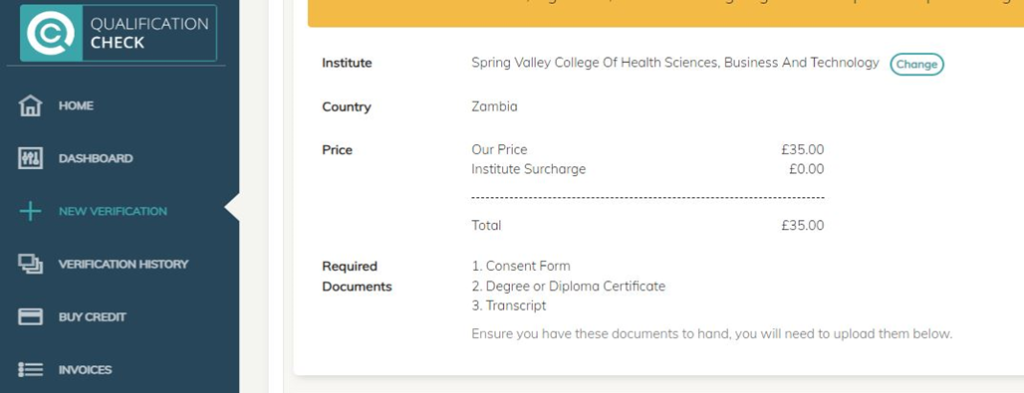
This is the page after you selected our institution
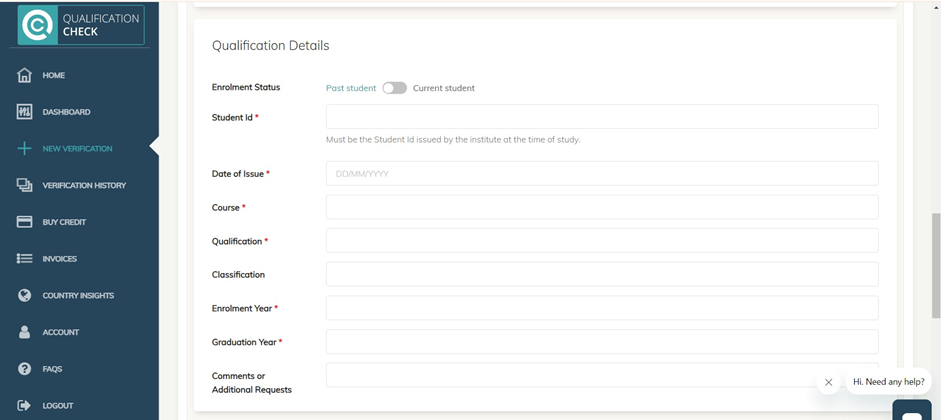
Scroll down and you can see the qualification details section:
Fill in your education details,
- Enrolment Status: Select ‘Post student if you are graduated
- Enter your student ID, Date of issue (certificate issued date)
- Course Name: Business Management, Health Care Assistant/ OTHERS
- Qualification: Certificate/Advanced Certificate/ Diploma
Scroll down and you can see the ‘Documentsʼ section:
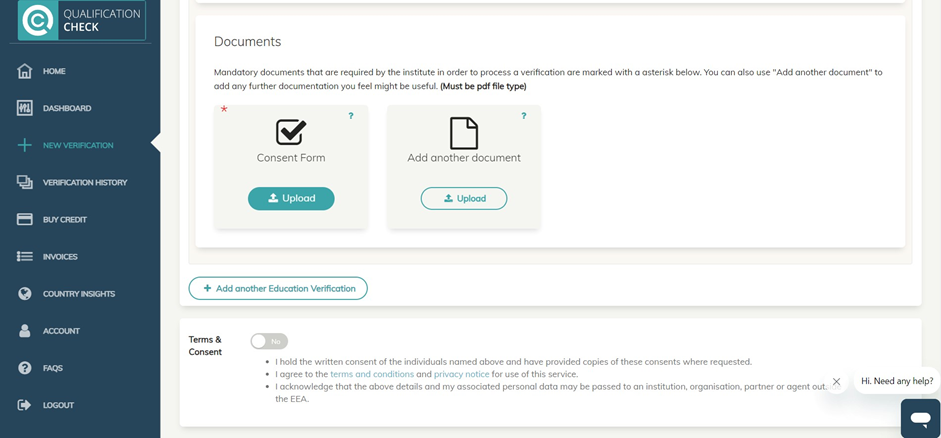
For the consent form, move your mouse to the section, click ‘Downloadʼ and you will be able to see the page below
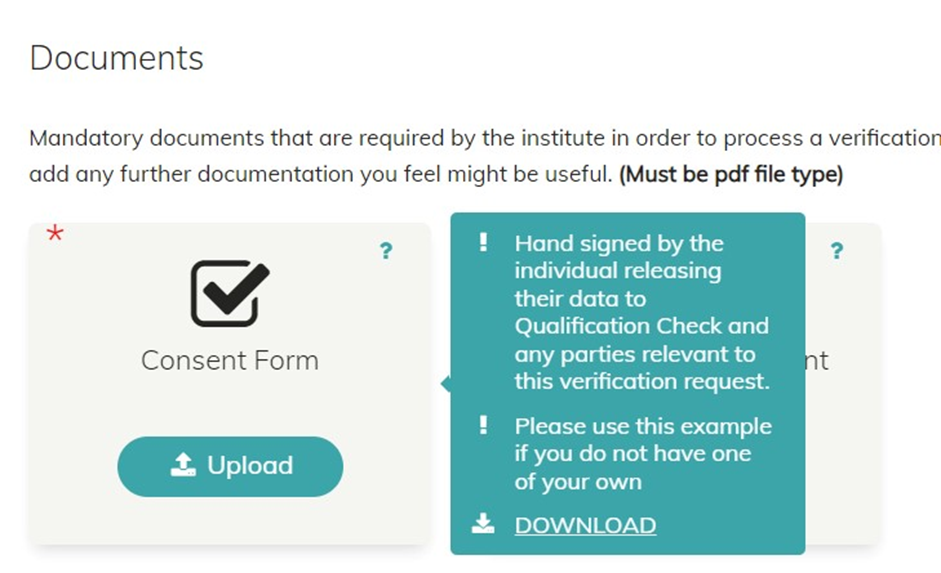
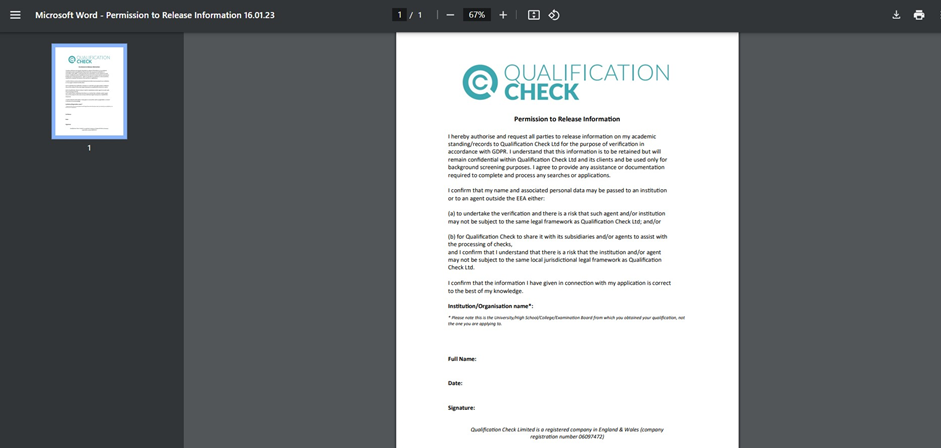
The example of consent form after you clicked download Sign the consent form, and save it as a pdf to upload to the ‘Consent Formʼ section. After that, continue uploading another document such as your certificate, and education transcript
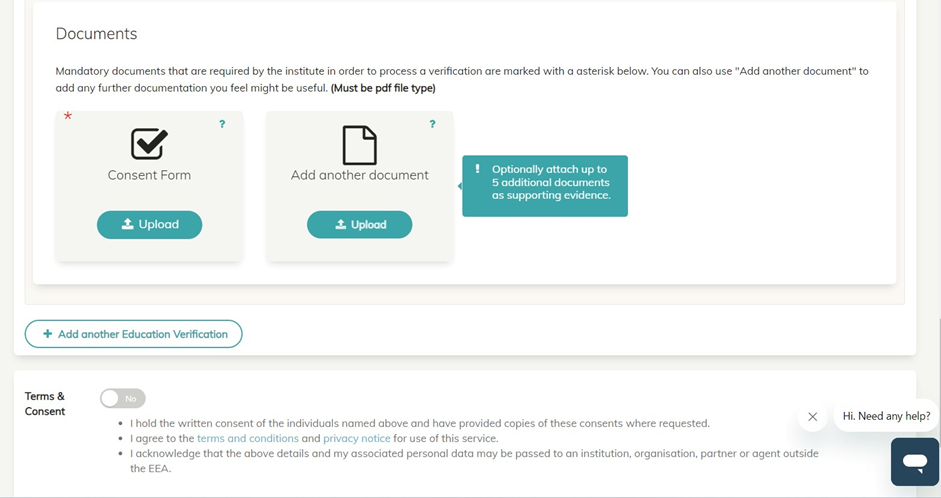
After that, click Yes to accept Terms & Consent
Step 4: Payment Details
After that, click ‘Nextʼ and proceed with your payment by choosing your preferred payment options
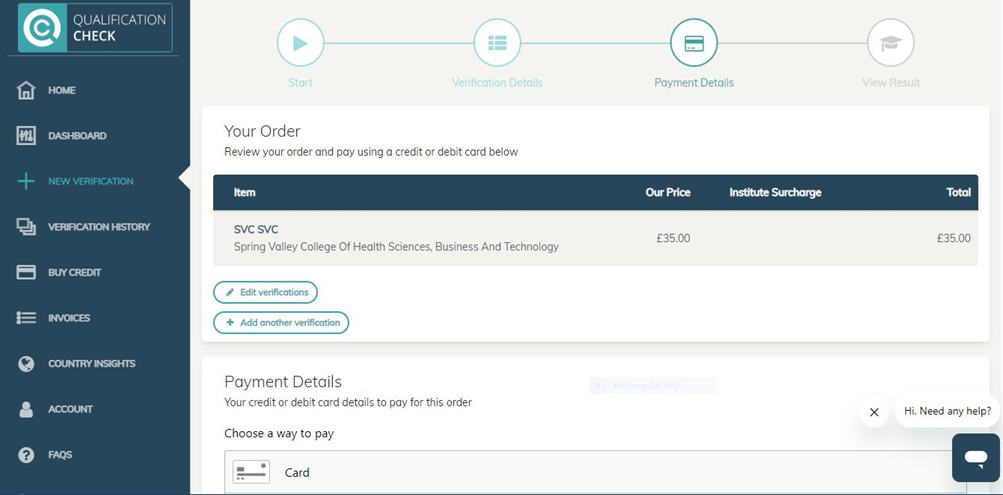
Once you have done the payment, you will receive your verification results within a few days!
Download a pdf Qualification Verification Guide